

Description
MONEY • AUTOMATIC SPREADSHEET
Your numbers, added up for you.
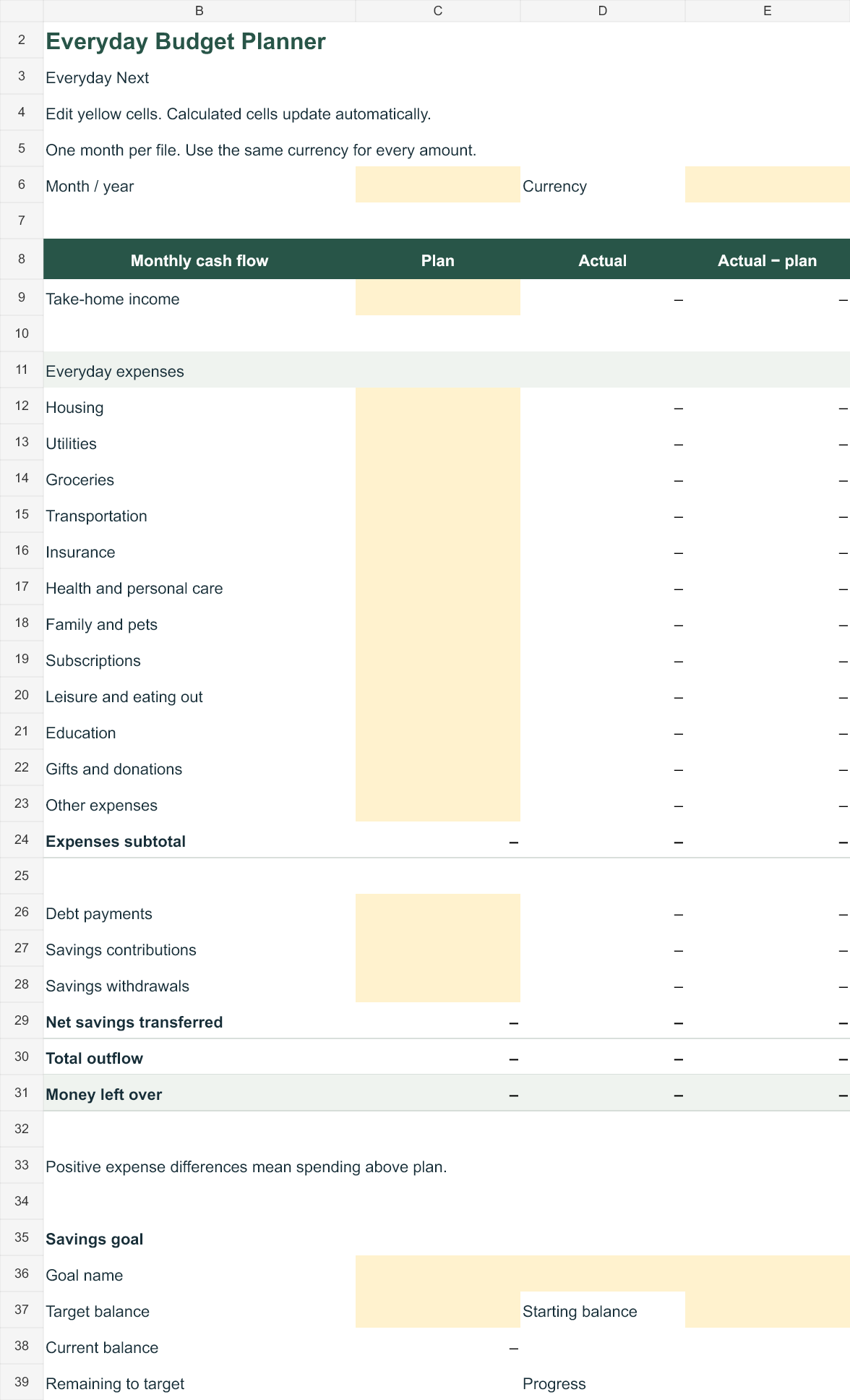
Plan the month, enter your transactions, and see income, expenses, savings, and money left over update automatically.
MAKE YOUR MONTH EASIER TO FOLLOW
Enter once. See the totals change.
Track your spending
Choose categories in the transaction log. Your actual spending totals flow into the monthly budget.
Compare plan and actual
See what changed, including expense categories that went over plan and money left over after outflows.
Follow your savings goal
Enter a target and starting balance. Contributions and withdrawals update progress toward your goal.
WHAT’S INCLUDED
A working budget, ready for your numbers.
- Automatic Excel workbook (.xlsx)
- Monthly plan with actuals and differences
- Transaction log with category dropdowns and 500 rows
- Income, expenses, debt payments, and net savings totals
- Savings target, remaining amount, and progress percentage
- Getting-started guide with monthly reuse instructions
Your ZIP download contains the spreadsheet and a plain-text guide. This edition is an editable spreadsheet, separate from the printable PDF workbook.
HOW TO USE IT
Three steps to a clearer month.
01
Open your copy
Unzip the download and open the workbook in Microsoft Excel. Save a separate copy for each month.
02
Enter your plan
Use the yellow cells for your month, currency, planned amounts, and savings target.
03
Add transactions
Record each amount once and select its category. Totals, differences, and savings progress update automatically.
GOOD TO KNOW
Your questions, answered.
Does it calculate automatically?
Yes. The workbook uses formulas to total transactions by category and calculate actual income, expenses, debt payments, net savings, and money left over. Your savings target also shows the remaining amount and progress.
What software do I need?
Microsoft Excel is the primary format. You may import a copy into Google Sheets. Formulas were tested in the creation engine; checks in the Excel and Google Sheets applications are still pending. A spreadsheet app may require its own account or license.
Does it connect to my bank?
No. You enter transactions yourself. It does not connect to a bank, estimate debt interest, or make payments.
Can I use it every month?
Yes. Save one file per month and keep the original blank template. This edition includes 500 transaction rows per file and uses one currency at a time. Personal household use is included; resale and redistribution are not.
Are the formula cells protected?
No. Formula cells are editable, so use the yellow entry cells and keep a backup to avoid replacing a calculation accidentally.
When can I order?
This page is being prepared for launch. Payment setup, compatibility checks, and a complete test of download delivery must be finished before orders open.






Reviews
There are no reviews yet.